Touch Designer Animation Controller
May 2026
This custom Touch Designer operator serves to make animation workflows a little bit easier with FBX files
Main Features:
~Animation Control Dashboard
~Root Motion Removal
~Frame Clipping
~Animation Blending
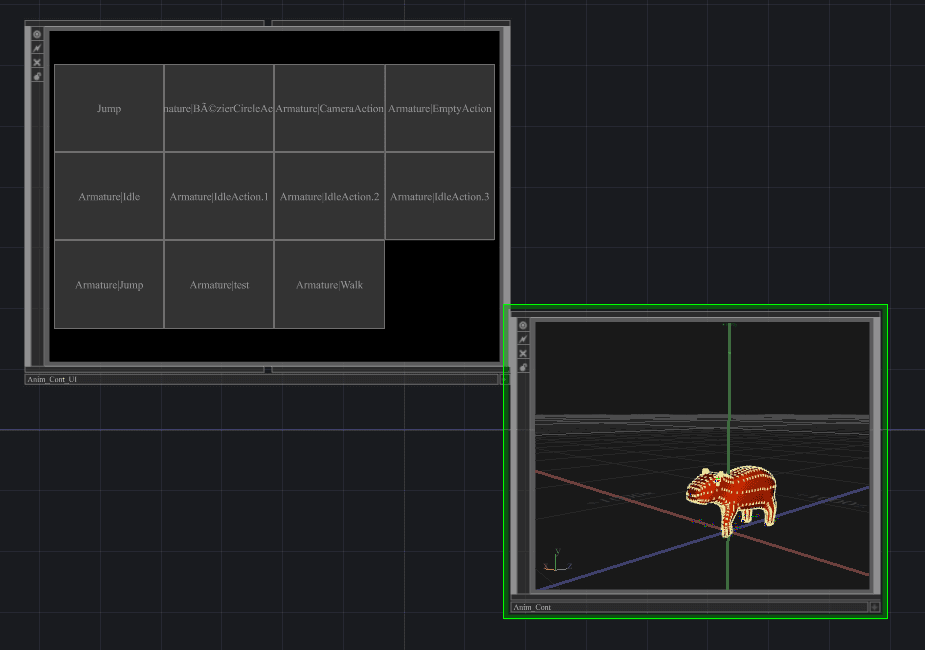
Animation Dashboard
Import an FBX file, and the controller will generate a container of buttons linked to each animation in the stack
This is built via script, that reads the FBX file and generates a replicator COMP that creates a button for every animation in the file. When a button is triggered the master FBX node is updated to the animation according to the button name.
All of the buttons are linked together into one merge CHOP for easy access and integration into the current workflow.
The parameter panel has options to rebuid the dashboard or force cook its data in case anything doesnt update properly
Clip Effects
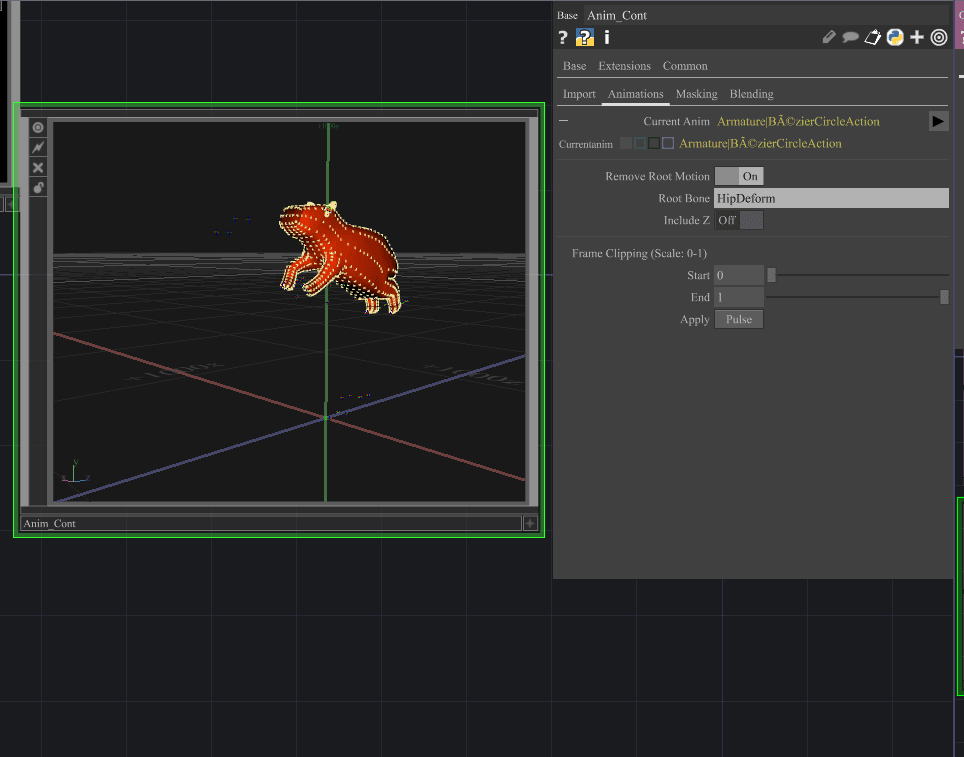
The Animation tab gives informational overview and offers a few clip editing features.
Root Motion: Provide the name of a bone to remove its translation effects on the mesh. Defaults to X and Y axis only, additional Z toggle available.
Frame Clipping: Two sliders to clip frames off of the beginning or end of the animation. Useful for finetuning looping animations. 'apply' button sets the clipping for future use.
The root removal works by overriding the transforms for the selected bone, by adding an inverse animation curve to keep it locked into frame 0 values. Touch Designer uses world transforms for its animation data, so this workaround is required to simulate relative changes.
The frame clipping is a feature already offered on the FBX operator- my addition is the ability to save unique settings for each animation. It does this by storing those values in a table and reading them back when it switches to the appropriate animation.
Animation Blending
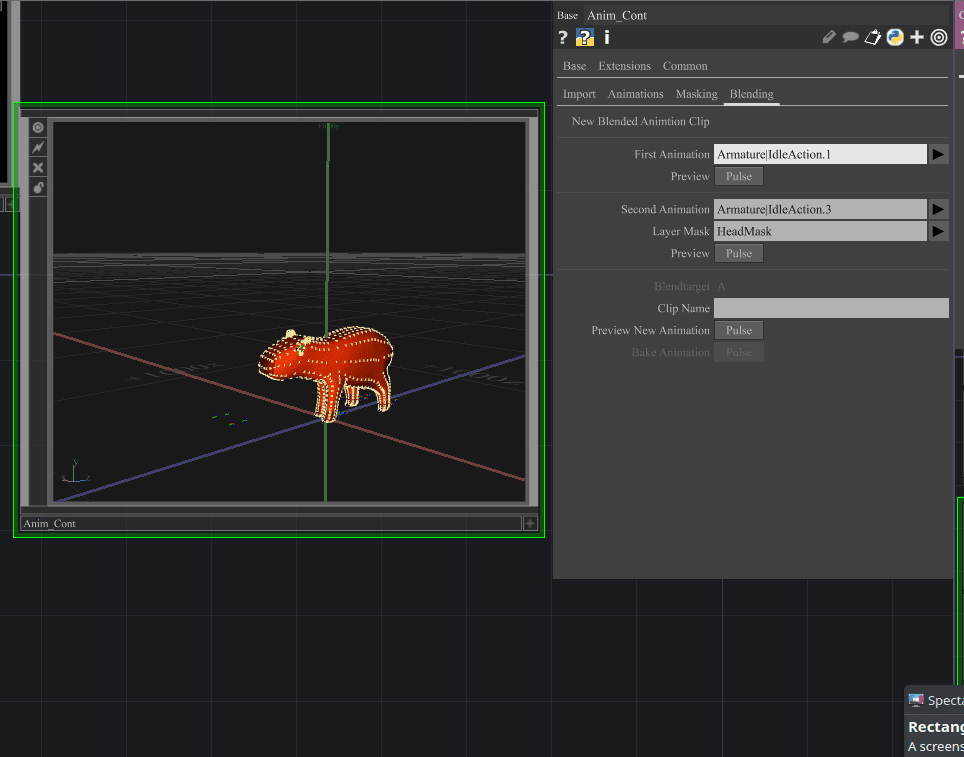
The animation blend CHOP is a paid feature in Touch Designer, so I've implemented my own version here.
The user can generate a bone mask in the 'Masking' tab by inserting a name, and listing the bones they want to use. In the 'Blending' tab they can choose two animations, and a mask to blend those animations together (additive). This new animation is automatically added to the clip stack, and the UI is rebuilt to include its button.
This begins with similar logic to the root removal by overriding the original transform channels. For the actual blend, copies of the animation data are made (to prevent corrupting the performance operator), and their channels are processed together to create a new animation output. A switch CHOP is used to keep this seperate from the active performing animation.
When the new animation is baked, a base COMP is generated with a copy of the entire blend chain with an added out CHOP to output the animation data. The FBX operator cannot edit its existing stack, so the new animation is added as a new index on the switch CHOP.